New Technology Resources on InsideCentral


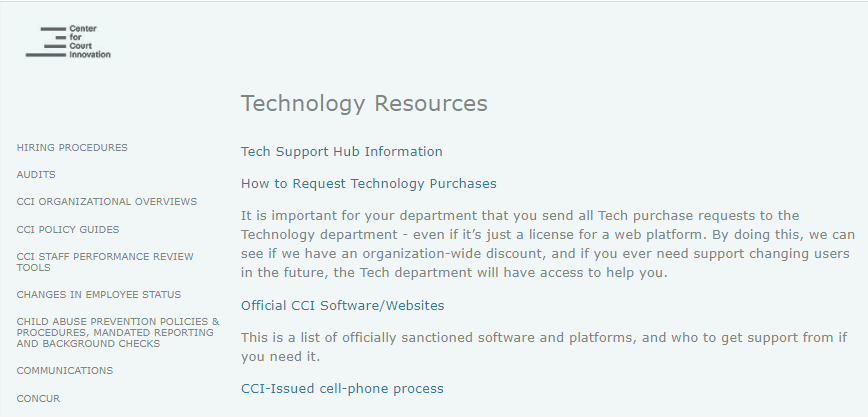
You can now navigate to tech resources using InsideCentral.  Just go to "Technology Resources" in the red section on the left side of the InsideCentral homepage.  


Here you'll find a link to the support hub for submitting tickets, as well as more info on requesting technology purchases, a *new* list of official CCI software/websites, and info on the process for CCI-issued cell phones.  

Comments

Popular posts from this blog

Listing a meeting attendee as optional vs. required

When sending an Outlook calendar invite out, you can select who is required to attend vs. who is optional to attend.   When you open a new meeting invite, first add attendees in the "To" field.  Then click on "Scheduling Assistant" in the top navigation bar. When in Scheduling Assistant, to the left of each person's name, you'll see a small icon.  This shows that the attendee is currently listed as "Required" for this meeting. When you click on this icon a drop down menu will appear.  Here you can change the status for this person to "Optional". You'll see the icon by the attendees name has now been changed. For any invite you can have a mixture of Required and Optional attendees, just change the icon for each person to the appropriate status.

Shortcut key to find any word on a webpage, Word document, and more

There is a fast way to quickly find a word on a web page, a Word document, Excel document, and more.   Control F , or command F on a Mac, is the keyboard shortcut for the Find command. Simply press Control + F in whatever window you want to search in, and type the word you are looking for in the search box. You can press the arrows to go through all instances of that word.

Creating online forms and spreadsheets

Two online services to collaboratively collect data, and manipulate it, are Google Forms and Airtable.  Unsecure forms such as Google and Airtable are helpful to: Collect food preferences for an upcoming event or large meeting Get additional information from people attending a training on what their goals or skill level is Collect feedback after an event Get clothing sizes for the swag you are going to order Note: These forms should never be used with clients because they are not a secure way to collect data  and  all research projects involving clients should be reviewed by the Center’s Institutional Review Board.  If you are interested in conducting research or data collection from clients, always contact  CCI_IRB@courtinnovation.org  first or the researcher assigned to your operating project.  Google Forms , which all CCI staff have access to, allow you to easily create forms to send to CCI staff, collect data, and have the dat...